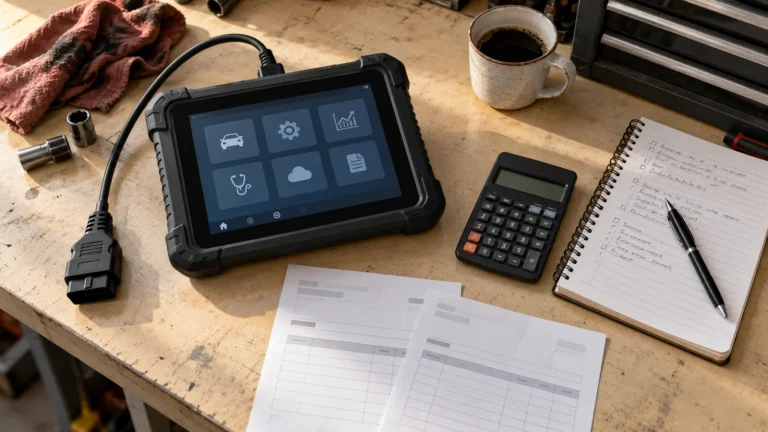
Choosing One Diagnostic Scanner for Multiple Cars: Coverage, Updates and Shop Costs

In this guide
The most expensive scan-tool mistake for a small garage is buying a “130+ makes” tablet and then discovering that the actual repair jobs require different software, authorized gateway access or specialized hardware. Broad brand coverage is not equivalent to function coverage on the cars you work on.
Quick verdict: Make a vehicle-and-task matrix before choosing a general tablet. Prioritize proven access to the models that generate most of your work, then check update costs, VCI replacements, official service subscriptions and the ability to export reports. A scanner that covers four frequent repairs well may be more valuable than one with a longer marketing feature list.
Build a realistic workshop vehicle sample
Instead of asking “Does it support Toyota?” create an anonymized sample of at least ten representative vehicles, listing the model year, original market, engine/platform, and the repair activity involved. Separate routine code reading from actuator tests, adaptations, protected-gateway work and full OEM programming. The last two often require additional accounts or manufacturer tools.
| Job | Coverage to prove | Evidence source |
|---|---|---|
| Engine codes on common models | OBD2 protocol and supported diagnostic functions | Official scanner coverage |
| ABS fault diagnosis | Specific ABS module and live data | VIN/year/module function matrix |
| EPB pad-replacement service | Exact EPB service mode | Current manufacturer function list |
| Battery registration | Vehicle-dependent BMS registration, not generic reset | OEM procedure and scanner support |
| Diesel emissions service | Exact DPF/aftertreatment diagnostic operations | OEM and scanner function sources |
| OEM programming | Approved hardware, software, subscription and access | Automaker service portal |
Include the type of vehicle as well as the badge. A passenger-car service list is not proof of commercial-truck coverage; our DPF scanner guide explains why diesel platform and exact function matter.
What to evaluate in a scanner ecosystem
Update costs: Document the free update period and the price of optional renewals from the exact US product source. Some tools continue existing diagnostic tasks after updates expire, but certain cloud or online functions may be restricted. Review scanner software update costs and do not extrapolate from another model’s terms.
Vehicle communication: CAN FD and DoIP support can be relevant on newer platforms, but their presence does not make a device universally compatible. A wired tool may be preferable in a fixed bay; wireless VCI convenience may help with an inspection workflow. For high-risk programming use an OEM-approved connection and stable vehicle power.
Reports and records: A garage may need saved before/after scans, module communication status, dates and client-facing documentation. Review the diagnostic reporting checklist for the minimum useful fields. Check whether customer information leaves the device or is stored in a vendor cloud.
Hardware lifecycle: Verify support for replacement VCIs, cables, battery packs and account transfer. A used tablet with a lost VCI may be more expensive to restore than a verified new package. Check whether an optional battery tester, oscilloscope or TPMS module is genuinely compatible with the intended tablet.
Connection hardware also affects a shared workshop. Compare the wired and wireless MK900 configurations when cable handling, tablet movement and replacement interfaces are part of the decision.
Why two scanners may beat one “all-in-one” scanner
A common low-cost OBD2 adapter may provide adequate emissions data while a specialist OEM interface is needed for one particular make or programming task. Owning both can make more sense than buying an expensive generic tablet and assuming it replaces all authorized manufacturer software. Conversely, a shop supporting many makes may get genuine productivity value from a reliable broad-system tablet for routine diagnosis.
Classify the shop’s jobs by frequency and risk. A rare immobilizer or module-programming operation might be outsourced rather than used to justify a costly tool. High-risk electrical, brake and safety-system work should follow OEM service requirements regardless of tool ownership.
Practical costs to compare
Calculate total cost of ownership as: hardware + required accessories + expected paid renewals + official service subscriptions + training + replacement/repair risk. Do not claim a numerical payback period without the shop’s real volumes and labor economics. A scanner bought from an unclear international seller may also create warranty and regional coverage problems.
Decision and FAQs
Should I buy the most expensive tablet? Not automatically. Use a weighted score from your own ten most frequent vehicle jobs rather than comparing feature-count banners.
Can one tool program every control module? No such conclusion follows from broad vehicle coverage. OEM programming typically requires exact approved protocols, software and authorization.
Will updates add missing functions? They may change available coverage, but do not assume a promised future update solves a current unsupported vehicle.
A simple scoring method for a real garage
Assign each intended task a practical priority based on how often it occurs and whether failure prevents safe, compliant work. For example: ordinary engine code reading might carry lower strategic value because inexpensive tools already do it; confirmed ABS/EPB access on common customer models may carry more; OEM programming should be treated as a distinct authorized-service category rather than assumed functionality. For each shortlisted tool, mark each task verified, not established or incompatible, with links to the manufacturer coverage evidence. Do not turn undocumented features into a numeric score of zero without noting uncertainty.
Rank scanners by the required functions you can confirm for the vehicles you actually service. The practical solution may be one general tablet, or a general scanner plus a specialist interface for a recurring make-specific task. Evaluate whether the extra system closes a documented coverage gap, how often it will be used and what maintaining both devices will cost.
Maintenance, training and downtime costs
A replacement VCI, damaged cable, tablet battery, support subscription or staff training session can affect the real economics over several years. If a repair business relies on a device every day, vendor support and repair turnaround deserve consideration. Check whether firmware can be recovered, whether the VCI can be replaced and paired legally, and what happens when a subscription expires. These details are often more important than a small upfront hardware price difference.
A spreadsheet structure that stays useful as the garage grows
Create one row per vehicle-platform × task, not one row per vehicle make. Add columns for scanner model, official evidence URL, software version, gateway requirement, notes on required accessories, and verification date. This makes it possible to recheck only the rows affected when a new vehicle model enters the shop or a software renewal is due.
For example, a brand-wide statement such as “Ford supported” should never be a single yes/no cell. Separate generic emissions access, a particular ABS module, a battery registration function and any factory programming workflow. A small, carefully maintained evidence sheet can be more useful than a broad product ranking unsupported by actual compatibility records.
A decision rule for growing beyond the first scanner
Revisit your coverage sheet when the garage repeatedly encounters the same unsupported but valuable job. At that point, calculate whether buying the correctly authorized specialist tool is economically justified compared with referring those jobs to another qualified workshop. Do not expand the tool collection based on isolated compatibility complaints. A repeatable pattern of supported customer demand is a stronger reason for equipment investment than owning every scanner brand in a catalog.
Final recommendation
Make the vehicle-task matrix your purchasing specification. Compare at least two documented scanner ecosystems on identical tasks, and budget for subscriptions and replacements. If a brand cannot supply defensible coverage information for your regular work, its overall make count is not a basis for purchase.