OBD2 Adapters for Hybrids and EVs: Battery Data, Apps and Limits

In this guide
A buyer searching for an “EV OBD2 scanner” may expect an ordinary Bluetooth adapter to reveal a battery-health percentage, temperature history, charging faults and every high-voltage module. That assumption is risky. Generic OBD-II diagnostics and the proprietary data exposed by a hybrid or electric vehicle are different systems. The adapter provides a communication path; the compatible application and vehicle determine what you can actually see.
Quick verdict: Before buying an adapter for a hybrid or EV, choose the exact vehicle-specific app and data fields you need, then verify the adapter on that app’s current compatibility list. A widely compatible generic OBD2 reader is not automatically a battery-health analyzer. Do not open, service or probe high-voltage components based on an app’s displayed numbers.
Three levels of information
Standardized vehicle diagnostics may expose relevant emissions data on applicable combustion or hybrid powertrains. It does not promise a usable EV battery-health report, and a pure EV may expose a different set of systems than a conventional combustion vehicle.
Manufacturer- or app-specific data can include information from battery management, charging or thermal modules where supported. Those values may be raw, derived, filtered or dependent on an app’s mapping. A label such as “SOH” or “battery capacity” needs a documented method before it can be interpreted as an independent health assessment.
Factory service diagnostics may expose guided tests, calibration details, module software status and repair workflows unavailable to a consumer application. Reading a battery temperature is not equivalent to diagnosing an isolation fault or authorizing high-voltage service.
What OBDLink documents
OBDLink’s official FAQ says that its adapters can work with electric and hybrid vehicles when paired with an OEM-specific third-party app for selected vehicles. It lists examples such as Scan My Tesla, BimmerLink, FORScan and Dr. Prius. That is evidence of an ecosystem, not proof that all OBDLink models and app combinations support every vehicle and battery metric. Check the app vendor’s live requirements before purchase.
OBDLink also distinguishes device/host support: some adapters support iOS, others do not, and not all third-party applications support every adapter. For an iPhone owner, that can make compatibility a harder constraint than a small difference in Bluetooth specifications.
Buyer decision matrix
| Purchase question | Why it matters |
|---|---|
| Exact hybrid/EV model and model year | App decoding is vehicle-specific |
| Requested metric: faults, temperatures, cell voltages or charging | Each is a distinct capability |
| App developer’s adapter list | A supported dongle is necessary, not sufficient |
| Phone OS and connection mode | Bluetooth standards and iOS support differ |
| Data description and units | Avoids interpreting raw values without context |
| Export/logging support | Useful for sharing with an authorized technician |
| Tool update policy | Vehicle support can change across software versions |
An adapter selection that begins with “universal Bluetooth reader” may leave the buyer with the wrong app or no useful metrics. Reverse the order: vehicle, diagnostic goal, compatible app, compatible adapter, safe use.
Battery health numbers require context
Battery state of charge and state of health refer to different concepts. An application may estimate a battery metric from internal data or calculate its own value. Without documentation, the figure cannot establish remaining capacity, future degradation, warranty entitlement or whether a used EV will need a replacement pack. Temperature and cell-voltage readings likewise depend on sensor placement, operating state, sampling and the way the app formats data.
If purchasing a used EV, combine any available app evidence with service history, manufacturer checks, vehicle-specific battery warranty information and an independent inspection. A dongle cannot determine the safety of high-voltage wiring or connectors. Our used-car scanner guide covers the wider limitations of pre-purchase diagnostics.
Choosing between a phone adapter and a scan tablet
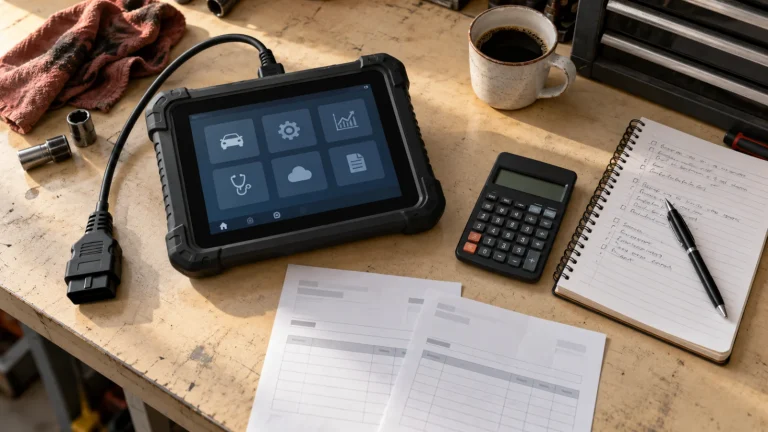
A phone adapter may be ideal when the principal objective is viewing a supported vehicle-specific data dashboard and exporting logs. A professional diagnostic tablet may cover many vehicles and systems, but its general “EV” or “hybrid” label does not prove access to the exact battery module or metric you need. Compare vendor coverage documents for the same year and configuration. Do not assume a more expensive scanner always provides better battery insight.
For a repair shop, the decision also involves legal and safety constraints: qualified high-voltage service, insulated equipment, authorized procedures, and access to OEM data. No consumer scanner should be used as a substitute for high-voltage safety certification or proper electrical testing.
A safe information-gathering workflow
Before connecting, confirm that the vehicle, app and adapter are supported. Follow the app’s prescribed connection and operation steps. Record the vehicle’s state (parked, charging or ready), software versions and date of measurement. If monitoring live data, do not allow a device or cable to distract from safe driving. Preserve exported data with units and context rather than publishing isolated screenshots with a “healthy/unhealthy” verdict.
For alerts indicating isolation, contactor or other high-voltage faults, stop speculative troubleshooting and refer to a qualified technician. There is no safe universal procedure for resetting such faults or bypassing protective logic.
Common purchase mistakes
Buying a universal adapter and then searching for a battery app. Start by checking the app’s actual supported hardware.
Assuming generic OBD2 support proves EV module coverage. Different diagnostic layers are involved.
Treating a single SOH number as a warranty-grade battery report. App method, calibration and operating context matter.
Confusing a high-priced scan tablet with high-voltage repair authorization. Professional training and OEM procedures remain necessary.
Three questions for an EV owner evaluating a used battery
Does the app show a manufacturer-defined capacity metric or its own calculated estimate? A seller may quote a single battery-health percentage, but without understanding the method, the number is not independently auditable. A comparison should state where the figure comes from, what conditions affect it, and whether the app developer supplies documented interpretation guidelines.
Can two readings taken under different conditions be compared? Charge level, temperature, software version and sampling can alter available data. A screenshot from one charging session may not be comparable to a second taken after a long drive. Record the context and use the manufacturer’s guidance rather than declaring a trend from two arbitrary snapshots.
Does a scan replace a certified inspection? No. An app cannot rule out water ingress, high-voltage isolation problems, damaged wiring, mechanical defects or warranty eligibility questions. A qualified independent inspection and manufacturer service history remain valuable, especially on an expensive used EV.
For a plug-in hybrid, a separate combustion powertrain can introduce ordinary emissions DTCs alongside specialized battery-system faults. A generic reader may show one part of that picture but not the other. Before recommending an adapter, distinguish the buyer’s interest in engine emissions, charging controls, traction battery status and service procedures. Those are different coverage questions.
FAQs
Will OBDLink MX+ work with every EV app?
No. OBDLink lists examples of third-party integrations but advises that compatibility differs by application and adapter model.
Can a basic emissions-code reader measure EV battery degradation?
Not as a universal capability. Vehicle-specific data access and validated interpretation are required.
Is it safe to use an app to clear an EV battery fault?
Do not use generic instructions to clear a high-voltage or safety-related fault. Obtain qualified diagnosis and the manufacturer’s procedure.
Bottom line
The right EV or hybrid scanner purchase starts with vehicle-specific application support and clearly defined data needs, not with an adapter’s marketing claim to cover “all electric cars.”