XTOOL D7S vs D8S: Which Scanner Is the Better Upgrade?

In this guide
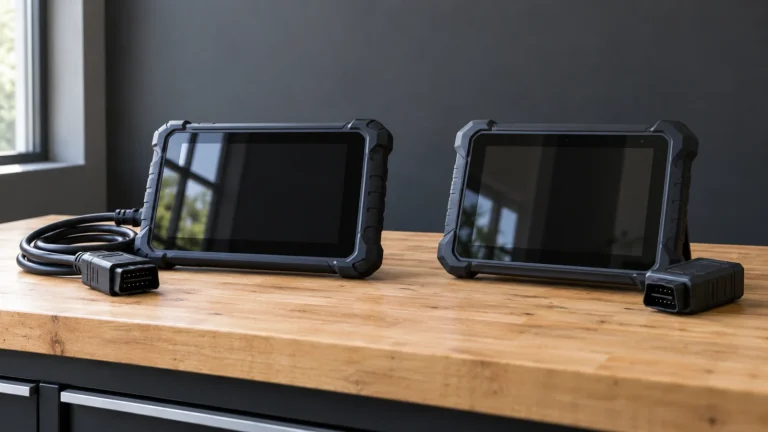
The XTOOL D7S and D8S share enough features to create a common buying mistake: assuming the higher-numbered device will always handle your car’s repair better. Both are wired Android diagnostic tablets with advertised full-system diagnosis, bidirectional controls, CAN FD and DoIP, plus a broad collection of service routines. But the D8S adds a larger display, topology mapping and a larger advertised service-function catalog. Those features can justify an upgrade for some owners and make very little difference to others.
Affiliate disclosure: As an Amazon Associate I earn from qualifying purchases.
Quick verdict: The D7S is the more focused candidate for buyers who can verify all their required functions on its current seven-inch wired platform. Choose the D8S when topology mapping, larger display and extra diagnostic/service categories support actual work. Don’t pay for the D8S simply because the feature count says 42-plus instead of 39-plus; the required vehicle operation may still be unsupported on either device.
We compared XTOOL’s manufacturer documentation in October 2026. The analysis concerns documented features and ownership requirements. We have not measured diagnosis speed, accuracy, battery runtime or reliability, and the available functions still depend on the vehicle and regional software.


Manufacturer-documented feature comparison
| Point of comparison | XTOOL D7S | XTOOL D8S |
|---|---|---|
| Screen | 7-inch, 1024×600 | 8-inch, 1024×768 |
| Operating system | Android 10 | Android 10 |
| Published vehicle connection | Cable | Cable |
| Advertised RAM/storage | 2GB / 64GB | Conflicting RAM figures: 2 GB in description / 4 GB in table; 64 GB storage |
| Active tests | Yes, vehicle-dependent | Yes, vehicle-dependent |
| Named service functions | 39+ categories | 42+ categories |
| Protocols listed | CAN FD / DoIP / FCA V2.0 | CAN FD / DoIP / FCA V2.0 |
| Topology mapping | Not listed as a D7S flagship feature | Specifically advertised |
| Free upgrades | 3 years | 3 years |
| VAG Guidance in US | Listed as suspended | Listed as suspended |
Hardware discrepancy: XTOOL’s D8S description states 2 GB RAM and a 1.8 GHz processor, while its specification table gives 4 GB RAM and a 1.5 GHz processor. Both describe 64 GB storage. Confirm the exact hardware revision with XTOOL and the seller; the conflicting figures do not support a reliable performance comparison.
The real upgrade: topology mapping
Topology mapping is one of the D8S’s clearest advertised differences. Instead of only presenting separate diagnostic systems as a list, a supported topology display can show module groupings and communication status in a diagram. That may help an experienced user understand the scope of a multi-module problem, especially when several systems report related communication faults.
However, topology does not diagnose a broken wire on its own. A display can show which modules are not communicating, but it does not directly distinguish a network wiring fault from a power-supply problem, failed module, unsupported scanner function or permission issue. Correct fault isolation still requires vehicle diagrams, measurements, service information and sometimes a qualified technician.
If your usual work is reading an engine fault, checking battery charging data and performing a confirmed oil reset, topology may not materially improve the task. On the other hand, if you repeatedly assess several modules and need a better overview, it has a reasonable operational purpose. Verify whether XTOOL supports topology on the specific model-year vehicles you maintain.
Live data: how much graphing capability do you need?
The D7S manufacturer page advertises graphing multiple data streams with recording and playback, including up to eight streams in its description. XTOOL’s D8S documentation describes advanced live-data graphing, recording and exporting as CSV files. This is potentially meaningful for users who keep diagnostic notes, compare readings and share results with another professional.
The presence of a CSV export does not mean that every module exposes every sensor, that readings are perfectly synchronized, or that every parameter uses identical units across different manufacturers. Data quality depends on the vehicle, communication rate, scan tool, selected PIDs and operating conditions. Before purchasing for a specific monitoring task, request a current list of supported parameters and recording/export options for that vehicle.
If you are unsure how to interpret PIDs, begin with our OBD2 live-data guide. Buying a more powerful tablet will not make an ambiguous reading diagnostic proof.
Service functions: 39-plus vs 42-plus is not a ranking
Both tools advertise EPB service, BMS reset, ABS bleeding and other routine categories. The D8S adds a small number of advertised categories and more advanced functions, but the counts are product-family marketing descriptions. They are not a contract that every menu is enabled for every car or region.
A buyer needing battery registration must establish whether the device supports registration, reset, adaptation or battery-type coding on the particular vehicle. Someone shopping for an EPB maintenance routine must distinguish entering service mode from clearing a warning and from ABS hydraulic bleeding. And someone interested in module coding should distinguish supported adaptation from OEM programming.
For those reasons, it is better to write down three exact jobs and seek confirmation from XTOOL than to choose whichever product has the larger function count. Our battery-registration buying guide and EPB scan-tool guide use this job-first approach.
A significant US warning on both devices
Both current XTOOL pages explicitly state that VAG Guidance has been suspended in the United States. Some sellers may use broad references to guided functions, coding or Volkswagen-group support without explaining that region-specific condition. The suspension statement should not be stretched into a false claim that every VW/Audi/Skoda diagnostic capability has stopped. It does mean an owner who needs a particular guided function must ask XTOOL whether that operation currently works in the US.
Before making a purchase involving coding or guided work, send the manufacturer the exact VIN or vehicle configuration and function name. Get an answer that clearly distinguishes general diagnosis from the guided service you intend to use. A screenshot of a generic feature icon isn’t sufficient.
Hardware and everyday use
The D7S is a seven-inch, 1024×600 wired device. The D8S moves to eight inches and 1024×768. The latter screen has more room for menus, diagrams and graph panels. Both can be practical in a garage, particularly if a stable wired connection is preferred for diagnostic work. We cannot claim that one is faster, tougher or more readable outdoors without actual testing.
XTOOL’s listed power/storage configurations should also be checked against the exact serial-numbered model being purchased. Variant suffixes and regional kits can differ. Confirm that the required connector cable, charger and accessories are included; an apparently lower-priced Amazon offer can be a poor value if it omits the correct accessories or ships an inapplicable region kit.
Updates, expiry and long-term ownership
Both D7S and D8S pages advertise three years of free upgrades. XTOOL’s official software-service guidance says previously released software packages remain available after the active update term ends, while new system updates and new monthly diagnostic packages require a renewed entitlement. The exact availability depends on device, market and software release.
What matters after three years is how often you work on newer vehicles. If the scanner already supports your two owned cars and those cars are not changing, you may get substantial utility from installed software even without new coverage. A shop taking in new models regularly may need continued updates and authorization. Do not assume that an update renewal adds new hardware capability or circumvents OEM security rules.
For a proper five-year cost model, gather the exact current D7S and D8S hardware prices, any necessary renewal quote for years four and five, gateway fees and required accessories. These are the inputs to compare—not unverified Amazon numbers copied from changing listings.
When D7S makes more sense
Choose D7S for further investigation if your main tasks are full-system code access, confirmed active tests and common service routines, and you do not require topology mapping or a larger screen. Its manufacturer-documented CAN FD/DoIP capability is useful in the purchase discussion, but it still must be paired with actual software support for your vehicle.
The D7S is also worth considering when budget discipline matters. A product that supports the required functions is often a better purchase than a higher-end tablet whose extra features are never used. Do not interpret this as a current value ranking until you have genuine US offer prices and a complete accessory list.
When D8S makes more sense
Choose D8S for further investigation when the extra screen space, topology-supported vehicle coverage, reporting/export workflow and expanded maintenance catalog would be used repeatedly. This is especially relevant for owners who analyze multiple modules and want to save diagnostic records. But the existence of a visual topology or wider menu does not confer authority to perform safety-sensitive functions without the correct vehicle procedure.
For ECU programming, theft-related security functions, ADAS calibration and brake repairs, professional knowledge, approved equipment and permissions still matter. Neither D8S nor D7S should be sold as a universal replacement for manufacturer factory service tools.
Questions to send XTOOL before buying
Ask which exact US D7S or D8S package supports the vehicle, year, engine and market. Identify the specific feature—such as battery registration on a particular platform, EPB service mode, transmission adaptation, active cooling-fan command or a requested CSV export. Request the software release, any optional cable or gateway account, update-term start and renewal conditions. Also ask if the regional VAG Guidance suspension affects the job.
Finally, ask about the return policy and the rules for activation or transfer in case a seller offers a used or already-registered device. Keep the manufacturer response as part of your purchasing record.
A task-by-task upgrade test
An upgrade is worthwhile when the D8S supports something you will actually use that the D7S cannot adequately provide. Begin with the vehicle list. A user with one supported car and recurring basic maintenance should ask whether existing D7S functions cover the exact service menu. If they do, a larger screen alone may not justify replacing the device.
A technician who routinely sees several electrical-system or network-related complaints might benefit from the D8S’s advertised topology view, especially when it offers a clearer summary of responding and nonresponding modules. Yet the benefit can be realized only on supported cars and with proper diagnostic knowledge. A missing module on a chart is not a repair instruction. The value comes from improving documentation and understanding, not substituting for the service manual.
A third buyer may need structured live-data export to compare findings over time. In that case, ask XTOOL whether the exact D8S export works for the modules and parameters involved. Do not buy because the product page simply says “CSV”: a feature’s useful scope can be smaller than the sales headline suggests.
Three ways an upgrade decision can go wrong
First, the user compares the biggest advertised numbers—screen inches, service functions and memory—without checking whether the required procedure exists on the exact vehicle. An unsupported function on an expensive scanner remains unsupported. Second, the user assumes newer hardware automatically removes gateway or credential restrictions. It cannot grant authorizations the operator does not possess. Third, the user values “three years of free updates” without finding the start date or confirming which updates and regions are included.
A sensible process is to ask XTOOL for written coverage confirmation on each model, obtain exact genuine US offers and compare the total cost for the intended ownership period. Keep a line for accessories and secure-gateway accounts. If the D7S handles every confirmed job and the D8S extras are not needed, spending more may offer no practical improvement.
Frequently asked questions
Is D8S newer than D7S and therefore always better?
No. The D8S’s listed features are broader in several areas, but an individual repair task can still be supported on both, one or neither.
Does D8S add wireless Bluetooth diagnosis?
Both official product specifications describe wired vehicle connections. Do not mistake Wi-Fi software updating for wireless communication with the car.
Do both support CAN FD and DoIP?
Both official XTOOL specification pages list these protocols. That is not proof of vehicle-specific coding, activation or reset coverage.
What happens after three years of included updates?
XTOOL says previously released packages remain available, while new releases require renewed entitlement. Product and regional exceptions may apply, so recheck the exact model.
Is the US VAG Guidance suspension permanent?
The official product descriptions identify it as suspended, not a permanent removal. Do not assume a restart date that the manufacturer hasn’t confirmed.
Final recommendation
The XTOOL D7S is the reasonable first candidate for a buyer who can verify all required functions without the extras. The D8S becomes worthwhile when its documented topology mapping, larger screen, live-data export and advanced features have a real use case on supported vehicles. Neither can be responsibly ranked as better value until exact US listing prices, serial-numbered configuration and vehicle/function compatibility are confirmed.