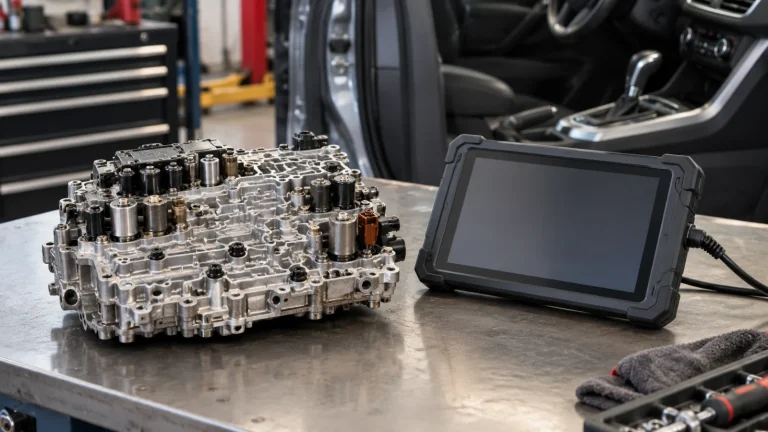
Best Scan Tools for Battery Registration: 6 Options to Check Before Buying

In this guide
Replacing a modern car battery is not always the end of the job. Some vehicles need the battery management system (BMS) informed that the battery has been replaced; some need a new battery type or capacity configured; others have an automatic learning process or do not require a scanner at all. The wrong diagnostic tool can display a reassuring BMS button without providing the actual registration procedure your vehicle needs.
Affiliate disclosure: As an Amazon Associate I earn from qualifying purchases.
Quick verdict: For owners who need a general-purpose diagnostic tablet as well as a manufacturer-advertised BMS function, consider the TOPDON ArtiDiag900 Lite, TOPDON ArtiDiag800BT 2, XTOOL D7S, XTOOL D8S, or Autel MaxiDiag MD909 Pro, after verifying support for your exact vehicle and procedure. If battery and charging-system testing is the primary job, Autel MaxiBAS BT508 is a more specialized alternative. None can be honestly called universally compatible: the manufacturer’s exact-function coverage is more important than the number of service functions in the product description.
We selected these models from manufacturer documentation reviewed October 30, 2026; this is not a hands-on battery or scanner test. The vehicle, replacement battery specification and required registration or coding operation determine the fit. Confirm the exact regional scanner version and software coverage before ordering.
The six candidates at a glance
| Model | Main reason to investigate | Official battery-related description | Update policy as currently stated | Most important caution |
|---|---|---|---|---|
| TOPDON ArtiDiag900 Lite | Wireless full-system tablet | BMS Reset among eight service functions | Free updates for supported life | Eight named service functions; registration is vehicle dependent |
| TOPDON ArtiDiag800BT 2 | Smaller wireless service tablet | Battery registration among 28+ functions | Free lifetime updates per TOPDON USA | Verify the 800BT 2, not older 800BT |
| XTOOL D7S | Wired multi-system scanner | BMS Reset listed in special-function catalog | Three years of upgrades | US VAG Guidance suspended; no universal function coverage |
| XTOOL D8S | Higher-feature wired tablet | BMS Reset listed among 42+ functions | Three years of upgrades | Extra features do not guarantee your battery operation |
| Autel MaxiDiag MD909 Pro | Compact all-system service scanner | Battery registration and reset explicitly advertised | Check current US version and terms | Separate exact battery coding from registration |
| Autel MaxiBAS BT508 | Battery tester plus registration | One-touch battery registration advertised | Confirm app/device updates | Different from a general full-system diagnostic tablet |
How to read this table: It establishes that the manufacturer advertises a related function on that device. It does not establish support for a particular year, engine, market, module, battery chemistry, coding path or service menu. Some menus labeled “BMS reset” differ substantially in what they do.
Manufacturer sources: TOPDON ArtiDiag900 Lite, ArtiDiag800BT 2, XTOOL D7S, XTOOL D8S, Autel MD909 Pro, Autel BT508.
First, determine what your car actually requires
A buyer searching “scanner for battery registration” may be describing several different jobs. One car may need an entry recording that a replacement battery was installed. Another may require the power-management system to learn new values. A vehicle that previously used a flooded lead-acid battery and now has an AGM battery may need an approved configuration operation in addition to registration. Yet another vehicle may manage learning automatically, making the proposed scanner purchase unnecessary for that task.
TOPDON’s battery sensor reset explanation explicitly says not every car needs a reset, and procedures vary by manufacturer and vehicle. Older Autel BMS service documentation distinguishes registering a replacement of the same capacity from recording a different capacity or changing battery type. That illustrates why the exact operation matters, although older manuals should not be used as proof of current product coverage.
Before shopping, identify the vehicle’s year, make, model, engine, market and battery system. Write down the replacement battery’s chemistry and capacity. Check the factory service instructions, then ask the tool manufacturer for the specific menu and procedure, not just general compatibility. Avoid performing configuration changes without the correct vehicle procedure. Battery work involves electrical hazards; consult a qualified technician when the instructions or required equipment are unclear.
Registration, sensor reset and battery coding are not interchangeable
Battery registration generally records that a new battery has been installed. Sensor reset may clear previously learned charging information or trigger a relearn. Battery coding or configuration can involve specifying chemistry, capacity or other vehicle-defined parameters. The exact terms are not standardized between all automakers and scanner brands.
An all-system scanner may have “BMS” in the main service menu yet support only a subset of those procedures for your car. Conversely, a specialized battery tester may offer battery registration alongside cranking and charging tests, without providing the deep fault analysis of a professional diagnostic tablet. The purchase decision starts with the required job—not an advertised icon.
1. TOPDON ArtiDiag900 Lite — for home mechanics prioritizing simple wireless service work
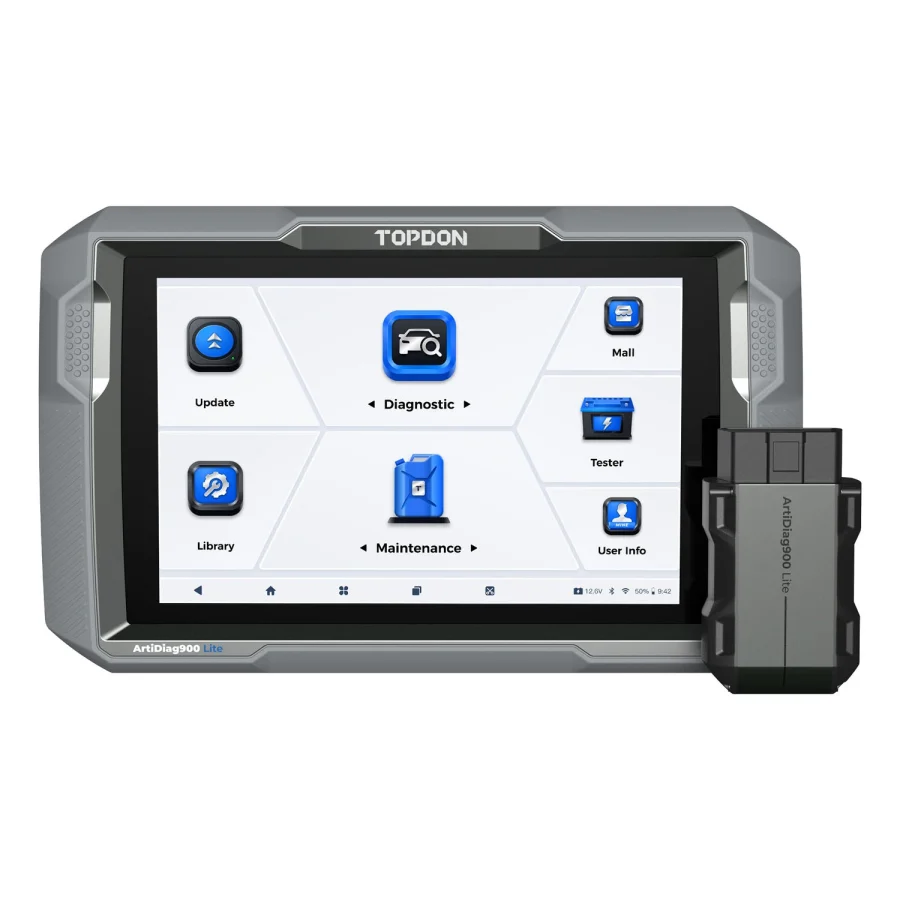
TOPDON describes the ArtiDiag900 Lite as an eight-inch wireless diagnostic tablet with full-system scanning, active tests and eight named service functions, including BMS Reset. Its official US product page currently lists free lifetime software updates. TOPDON clarified in its 2026 US guidance that this policy covers the manufacturer’s supported life of the device; it should not be interpreted as a lifetime promise for every future car or paid third-party service.
Why consider it: A home mechanic who wants fault-code diagnosis, live data, common service work and a larger wireless screen may value the Lite as a multipurpose tool. Battery management is one of the named functions, so it is reasonable to include it in an initial shortlist. Its compact service scope may also reduce the temptation to pay for advanced functions that will never be used.
Where the fit ends: The fact that “BMS Reset” appears on the specifications does not confirm BMW registration for every generation, Ford battery monitoring reset for every model, or chemistry coding after an AGM conversion. A security-gateway-protected car can add another requirement. TOPDON’s vehicle coverage lookup, ideally followed by written support confirmation, is the decision maker.
Questions to ask TOPDON: Does the US ArtiDiag900 Lite perform the exact named battery procedure on my VIN or detailed configuration? Is it registration, sensor reset, battery coding or more than one? Is any OEM gateway login required? Is the relevant function present in the current software version?
Best fit: Someone wanting an approachable, wireless all-system device with documented BMS service coverage on their own vehicle—not someone whose key goal is specialized ECU programming.
Read our TOPDON Lite vs XTOOL D7S comparison for the broader service and hardware tradeoffs.
2. TOPDON ArtiDiag800BT 2 — for a smaller wireless tablet with an expanded service menu

TOPDON’s ArtiDiag800BT 2 is a distinct current product from the older ArtiDiag800BT. The manufacturer’s US page lists a six-inch display, Bluetooth vehicle interface, 28-plus service functions, CAN FD support and free lifetime software updates. It explicitly includes battery registrations in its service-function description, which gives this model a more direct manufacturer statement for that task than a vague battery-system label alone.
Why consider it: Owners who prioritize a smaller tablet and several common maintenance functions can investigate the 800BT 2 without moving immediately into more expensive professional equipment. It also has an onboard compartment for the wireless VCI, according to the manufacturer. The advertised software policy is attractive for a buyer who expects to keep using existing supported vehicle coverage.
Where the fit ends: A manufacturer advertising registration generally does not promise every vehicle-specific variation. Battery replacement on a newer vehicle may also require a supported security-gateway path and additional authentication. Even where a registration appears, that does not guarantee the separate battery-type or capacity configuration path is supported.
What to verify: Exact model suffix “2”; the actual US-market product, the battery operation required for your car, current gateway requirements and whether a battery-type change is supported. Do not assume the older 800BT has identical hardware, features or updates.
Best fit: Someone who wants an all-system wireless tablet with a clearly described battery-registration family and additional service functions, provided the manufacturer’s exact-function checker gives a positive result.
Our vehicle-compatibility verification checklist explains how to document that answer before ordering.
3. XTOOL D7S — for buyers who prefer a wired scanner with broader maintenance functions

XTOOL publishes the D7S as a seven-inch wired diagnostic tablet with 39-plus advertised special functions. The manufacturer’s function catalog includes BMS Reset alongside EPB, SAS, ABS bleeding and other service families. The product page lists CAN FD and DoIP protocol support and three years of software upgrades.
Why consider it: Someone servicing several family vehicles may want a broader service catalog, live-data analysis, and modern protocol support in one scanner. The physical cable can be convenient when the vehicle stays in one work area and the buyer prefers not to manage a separate Bluetooth link.
Where the fit ends: A 39-plus function count is not 39-plus verified procedures on your car. In particular, don’t assume the battery-registration menu includes the vehicle’s exact battery adaptation or chemistry change. XTOOL also explicitly notes that its VAG Guidance feature is suspended in the United States. That statement concerns a specific guided-function offering; it should not be casually presented as a suspension of every Volkswagen or Audi diagnostic feature.
What to verify: Request evidence of the exact BMS operation on your year/make/model/engine and ask whether it needs internet access, a licensed gateway, an additional adapter, or an active subscription. If the required routine is guided, ask whether the US suspension affects it.
Best fit: A technically comfortable DIY owner who has confirmed that the D7S supports a needed task and values broader diagnostics beyond the battery job. See our XTOOL D7S US feature guide for the geographic caveat.
4. XTOOL D8S — for multi-vehicle owners who will use higher-tier diagnostic features

The D8S moves toward a more advanced diagnostic workflow. XTOOL’s current product documentation lists topology mapping, bidirectional tests, coding/adaptation categories, CAN FD/DoIP and 42-plus service functions, including BMS reset. It describes an eight-inch wired tablet and three years of included upgrades.
Why consider it: The D8S is relevant if battery service is only one of several repeat jobs. Topology visualization and other advanced software categories may be useful to a multi-vehicle owner or small repair operation, although how much they help depends on actual vehicle coverage and the operator’s knowledge.
Where the fit ends: None of those advanced features proves a particular battery-registration procedure is present. The manufacturer separately flags US VAG Guidance suspension in the specifications. Also, its coding references are not proof of unrestricted factory ECU programming. Buying up a tier does not eliminate the need to confirm a battery chemistry, capacity or sensor calibration process.
What to verify: The exact D8S revision, genuine US-market seller, function-level BMS support, software/renewal terms, and whether the broader diagnostics justify the additional cost. If you only need one registration on one car, hiring a qualified shop might be more economical than purchasing a higher-tier tablet.
Best fit: Someone who needs the confirmed battery operation plus advanced diagnostics for several current and future repairs—not someone buying on function-count marketing alone.
5. Autel MaxiDiag MD909 Pro — for a compact all-system scanner with explicit battery registration language

Autel’s official MaxiDiag MD909 Pro description states that it offers all-system diagnostics and a set of service functions including battery registration and reset, parking-brake pad relearn, steering-angle relearn and other maintenance procedures. That explicit wording places it on our shortlist.
Why consider it: A buyer who prefers a handheld or compact scanner rather than a large wireless diagnostic tablet can investigate this model. The core proposition is service functionality with full-system diagnostic access, not the most advanced professional programming features. A simpler form factor may be preferable for occasional driveway use.
Where the fit ends: The product-family description does not establish a vehicle-specific registration or battery-coding menu. Autel itself advises using its vehicle coverage lookup and requesting support with the VIN when a particular function matters. The exact hardware, US product variant, update entitlement and Amazon listing need independent verification.
What to verify: The MD909 Pro model identity (not MD808 Pro or MD906 Pro), registration versus reset support, model-specific software terms and whether the device can perform a capacity or chemistry conversion if that is your actual job. Ask Autel support to confirm the intended vehicle and operation.
Best fit: An owner who wants relatively straightforward all-system diagnostics plus manufacturer-advertised battery registration, without paying for features that may never be used.
6. Autel MaxiBAS BT508 — for someone whose main task is battery and charging-system work
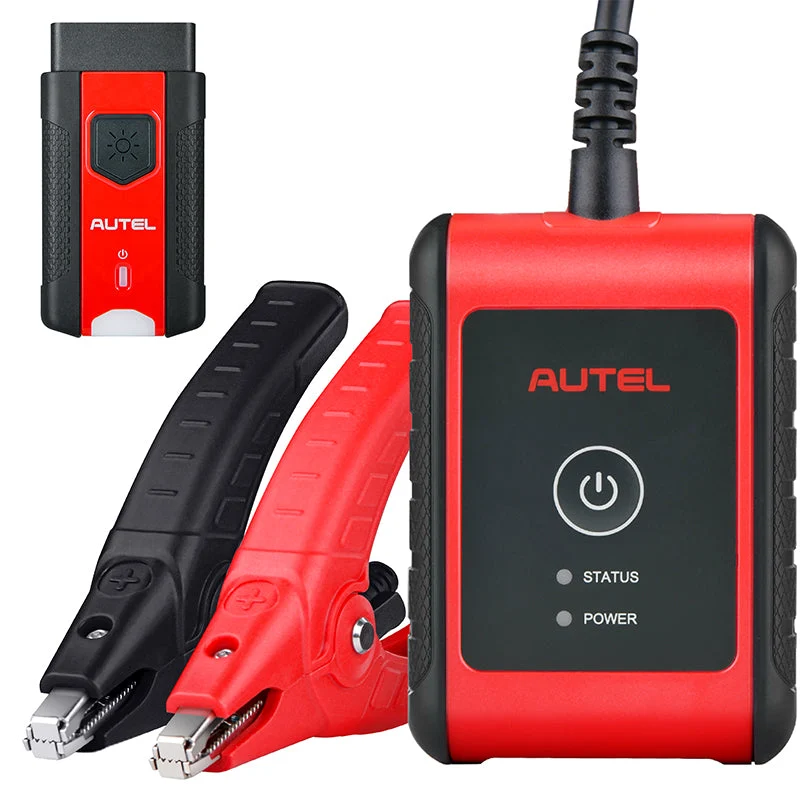
The MaxiBAS BT508 is fundamentally different from the other five candidates. Autel presents it as a battery and electrical-system tester with adaptive-conductance testing, a phone app, a wireless communication interface and one-touch battery registration. Its published functions also include starter and charging-system tests. It is not merely a general scan tablet with a BMS service icon.
Why consider it: If the recurring problem is diagnosing battery condition, choosing whether a battery should be replaced, assessing cranking/charging performance, and carrying out compatible registration, a specialized battery-focused tool may align more closely with the actual workflow. It also avoids paying solely for a large menu of diagnostic features unrelated to batteries.
Where the fit ends: A battery tester should not be described as an equivalent replacement for a full professional vehicle-system scanner or as universally capable of capacity recoding. It has its own app, vehicle communication and compatibility requirements. Autel’s headline registration statement still needs exact-vehicle confirmation.
What to verify: Supported mobile operating system, full kit contents, genuine US hardware, the particular registration routine, supported battery chemistries and the current app/firmware update model. If you already own a good all-system scanner and only need one uncommon vehicle registration, the specialist hardware might not be necessary.
Best fit: Someone who regularly evaluates batteries and electrical systems and wants registration as part of that specialized work.
Which one should you buy for a BMW, Mini, Ford, Nissan or other specific car?
Do not choose solely by brand. “Works on BMW” is insufficient if the actual task is registering an AGM battery of different capacity on a particular BMW model. Likewise, “Ford battery reset” could refer to a model-specific battery-monitoring procedure with a different implementation from BMW’s registration process. TOPDON’s 2026 battery-sensor article discusses different approaches, including cases where some vehicles relearn automatically.
For any make, record these details before deciding:
- Vehicle year, make, model, engine and market; identify VIN only when communicating with the manufacturer or service provider through an appropriate secure channel.
- Original and replacement battery chemistry, amp-hour capacity and other manufacturer-required specifications.
- The exact procedure specified in service information: registration, sensor reset, coding/configuration, or none.
- Whether the job touches a protected gateway or requires additional credentials.
- Whether the tool manufacturer confirms the complete path—not merely a generic BMS icon.
- Exact scanner software version, hardware model, region and the current purchase/renewal terms.
If the tool brand cannot confirm the needed procedure, downgrade its confidence and avoid presenting it as a verified fit. A clear answer of “not established” is better than an expensive wrong purchase.
A repeatable coverage request you can send before buying
I have a [year/make/model/engine/US-market vehicle]. I am replacing a [battery type/capacity] battery with [new type/capacity]. The factory instructions specify [exact operation]. Does the US version of [scanner model] perform that entire procedure on this vehicle? Please identify the software menu, whether different capacity/type coding is supported, and any subscription, gateway or accessory requirements.
Save the reply and its date. That evidence is more valuable than a general listing badge saying “BMS.”
For a BMW task that extends beyond a supported battery routine, the ISTA versus OBD2 tool comparison explains where a general scanner’s documented features end and the factory service environment becomes relevant.
What makes one scanner a better long-term purchase?
For a one-time battery replacement, total acquisition cost may overwhelm the value of any advertised advanced function. For a home mechanic who will also perform diagnostics, ABS checks, EPB service and other maintenance over several years, broader functionality and update policies become more important.
Compare the entire cost of ownership: initial device purchase, optional software renewals, accessories, manufacturer or gateway subscriptions, and the possibility of dealer-only procedures. The TOPDON devices listed here currently advertise free lifetime updates, but that is subject to supported-device lifetime and should not be confused with all future OEM gateway access. XTOOL’s published three-year upgrade period is also not proof that any optional service will be free forever.
Compare the actual checkout price and the current model-specific software terms. A low device price can be outweighed by accessories, an update needed for your vehicle or a separate service entitlement. Our software-update cost guide explains how to separate those expenses from the initial purchase.
When paying a shop is the better decision
If the replacement was already installed and the only remaining task is one model-specific registration, the most economical solution may be to pay a competent repair shop for the procedure. That is particularly true if the required function is unconfirmed, security-gateway access is needed, or the vehicle requires battery-type coding beyond your scanner’s capabilities. Do not buy a $300-plus tablet merely because a listing suggests it might perform one uncertain operation.
Research methodology and important limits
We included a scanner only when a current official manufacturer product page documented battery registration, BMS reset, or both. We separated a multi-system diagnostic device from a dedicated battery tester, identified the key limitations of each model, and reviewed whether current manufacturer pages disclosed software-update policy. We did not test batteries, register any vehicle, measure electrical performance or inspect live Amazon seller listings. The categories above are use-case distinctions, not instrument-measured rankings.
A function listed in a manufacturer catalog still needs to match the vehicle and prescribed procedure. Product generations, support policies and gateway requirements can change. Confirm the exact scanner version and requested battery operation with the manufacturer, then match that device to the seller’s selected bundle. Keep the dated coverage answer and model details with the purchase record so that a future software change or a different replacement battery does not silently change the basis of the decision.
Frequently asked questions
Does every car battery replacement need registration?
No. Requirements vary by vehicle. Some require registration or a sensor reset; some relearn automatically; others need neither. Use vehicle service information, not a universal online checklist.
Is battery registration the same as an OBD2 code reset?
No. Clearing codes does not necessarily inform a battery-management system about a new battery or configure its parameters. The required procedure depends on the vehicle.
Will any scanner with BMS Reset register a BMW battery?
No universal claim is justified. The required BMW operation may differ by vehicle generation, battery type and replacement scenario. Obtain exact model and function confirmation.
Can a battery tester replace a full-system diagnostic scanner?
A specialized battery tester can be superior for battery evaluation but may not provide the full module coverage, live-data depth or other service functionality of a general diagnostic tablet. Buy for the work you actually plan to perform.
Can I change to an AGM battery without additional coding?
Do not assume so. Some vehicles require type or capacity configuration, and some do not. Follow the vehicle manufacturer’s approved procedure and battery compatibility requirements.
Do software updates matter for battery registration?
They may, particularly for newer vehicles and changed procedures. But a software-update subscription is not the same as OEM security credentials or guaranteed future support. Check all three separately.
Final recommendation
For a practical home-mechanic shortlist, start with the TOPDON ArtiDiag900 Lite or ArtiDiag800BT 2 if TOPDON confirms the exact vehicle’s battery operation and you value their published update terms. Look at XTOOL D7S/D8S when their additional diagnostic functions are useful. The Autel MD909 Pro is worth comparing as a more compact general-service option, while MaxiBAS BT508 is better matched to repeat battery and electrical-system testing.
But the final answer is not a single universal winner. Choose the first device with documented support for your vehicle’s complete operation, credible US-market availability and a sensible total cost. If none can be verified, use a qualified service provider rather than gambling on a tool advertisement.